AI
15 minutes reading time

When you read most articles about vibe coding, you usually see non-programmers like hobbyists or founders shipping side projects. According to Sonar’s 2026 State of Code Developer Survey, professional developers mostly use vibe coding for prototypes, documentation and tests. So, as an engineering leader running a team of developers, you’re facing this question: Can this way of working improve team productivity without creating quality, governance, and maintenance problems?
That matters because AI-generated code can move quickly from prompt to pull request. But each change still needs ownership, review, testing, security checks, and a clear path to production.
In this guide to vibe coding for engineering leaders, you will see how different tools fit different jobs, from prototype validation to production engineering work. You will also see how to review AI-generated code, control risk, and measure whether AI-assisted development is reducing delivery friction or adding review burden.
Let’s get started.
Vibe coding is a prompt-led way of building software where you describe what you want, then use AI tools to generate, change, and test code with your supervision.
The term became popular because it matched how people were already experimenting with AI. For example, they described the intent, accepted useful output, and refined the result through follow-up prompts.
That differs from traditional development because the first draft typically comes from the tool. Meanwhile, your team still owns requirements, architecture, review, and release decisions.
This matters more as AI agents move from assisted coding into larger workflows that can plan, edit files, and run commands. Plus, more teams are using them: Stack Overflow’s 2026 Pulse Survey found that workplace AI agent usage reached 59%, up from 31% in 2025. At the same time, daily agent use rose from 14% to 37%.
Therefore, a large part of engineering judgment is now allocated towards the control layer, while code generation becomes more automated.
This leads us to our next point.
Vibe coding works best when you treat it as a controlled development workflow. If you let each developer prompt in a different way, you will get inconsistent code, uneven review quality, and more tech debt to inspect later.
IBM breaks the process down into four steps: choose a platform, define your requirement, refine the prompt, then review and ship. In practice, we'd map them like this:
"Create an internal support dashboard in React for refund requests. Support agents should be able to filter requests by status, date range, customer ID, and payment provider. Use our existing table and pagination components, call the current refunds API, show loading, empty, and error states, and restrict access to users with the support_admin role. Include unit tests for the filters and one integration test for the API response."
Once the workflow is defined, tool choice becomes easier because each platform supports a different kind of work.
The best vibe coding tools for engineering teams are Google AI Studio, Replit, Lovable, and Claude Code because they’re great with fast prototyping and controlled production engineering.
But before you choose a vibe coding tool, consider your needs. There are two categories that might meet them: vibe-first tools and engineering-focused vibe coding tools.
Vibe-first tools are closest to the original idea of describing what you want and getting a working app quickly. You can use them when speed, visual iteration, and early validation matter more than long-term maintainability.
These are the main tools in this category.
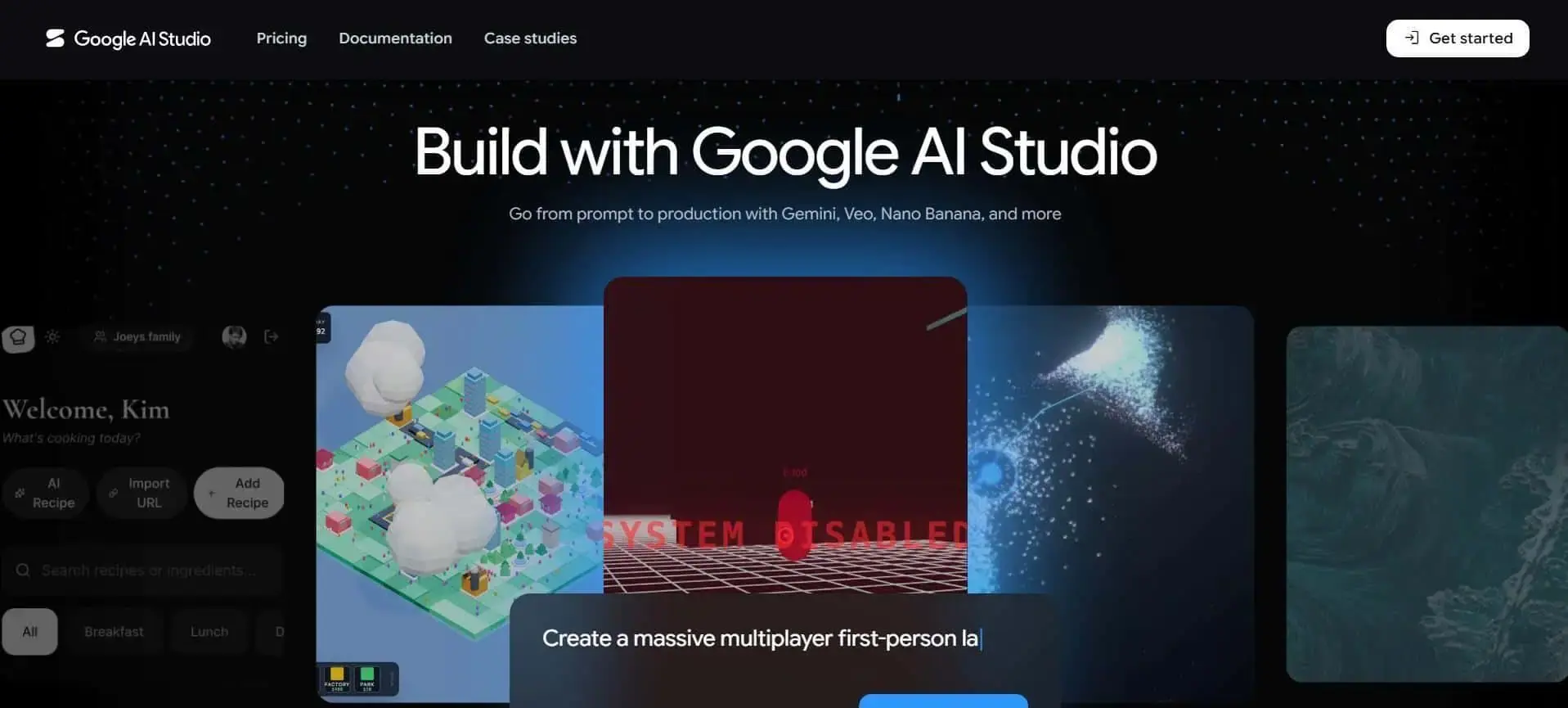
Google AI Studio is useful when you want a chat-native app building inside a browser workflow. It can generate full-stack web apps and Android apps from natural-language instructions, then help with preview, iteration, and deployment.
For web apps, it is especially useful when you need a working prototype and an internal tool. It’s also good when you need a Google-connected workflow that uses services like Firebase, Gmail, Sheets, Drive, or Calendar.
Strengths:
Limitations:
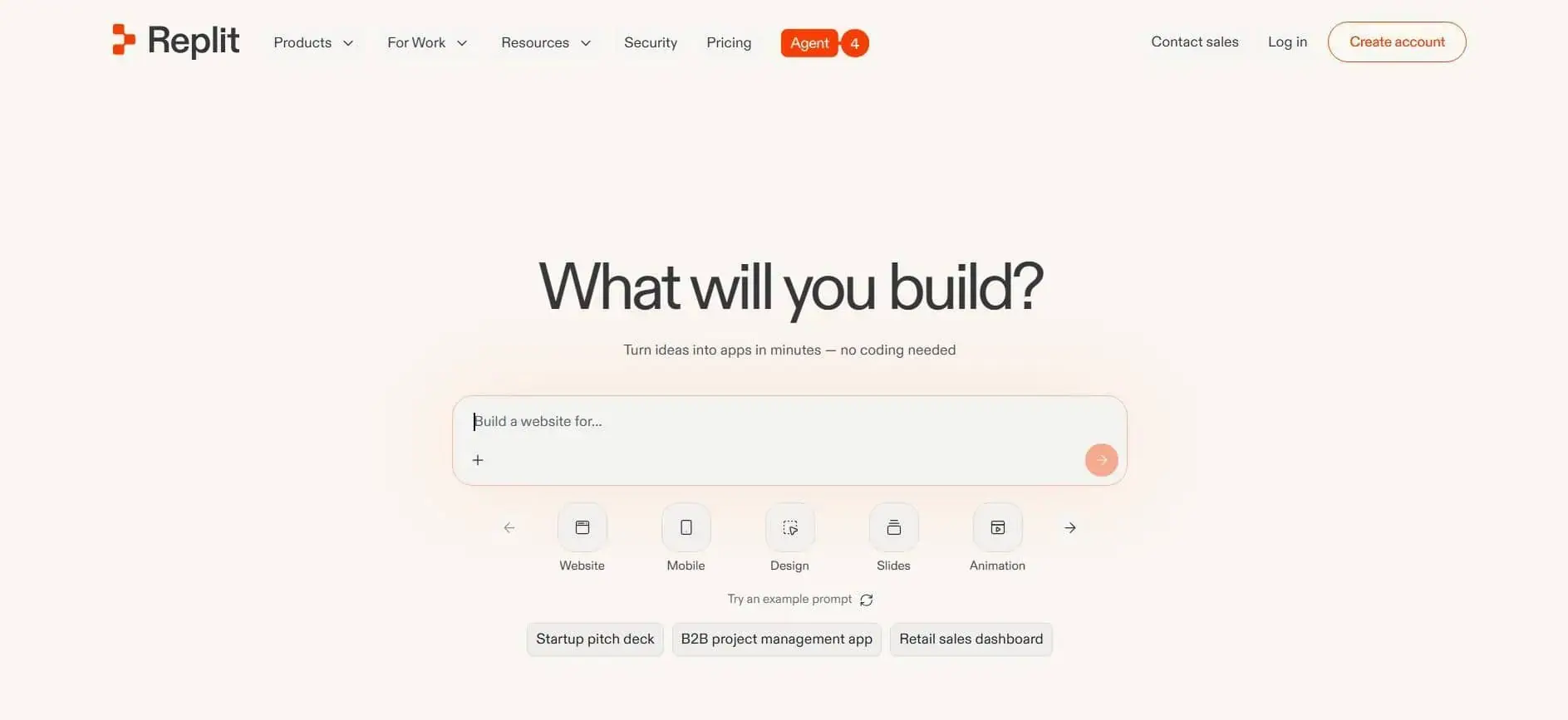
Replit is strong when you need an agentic development experience that handles setup, hosting, and infrastructure in one browser-based workspace. This makes it useful for non-developers, small teams, and early MVP work, where local setup would slow the first version.
The main value is that you can describe the app, shape it with follow-up prompts, and publish it. After that, you can share it without building a full local development process first.
Strengths:
Limitations:
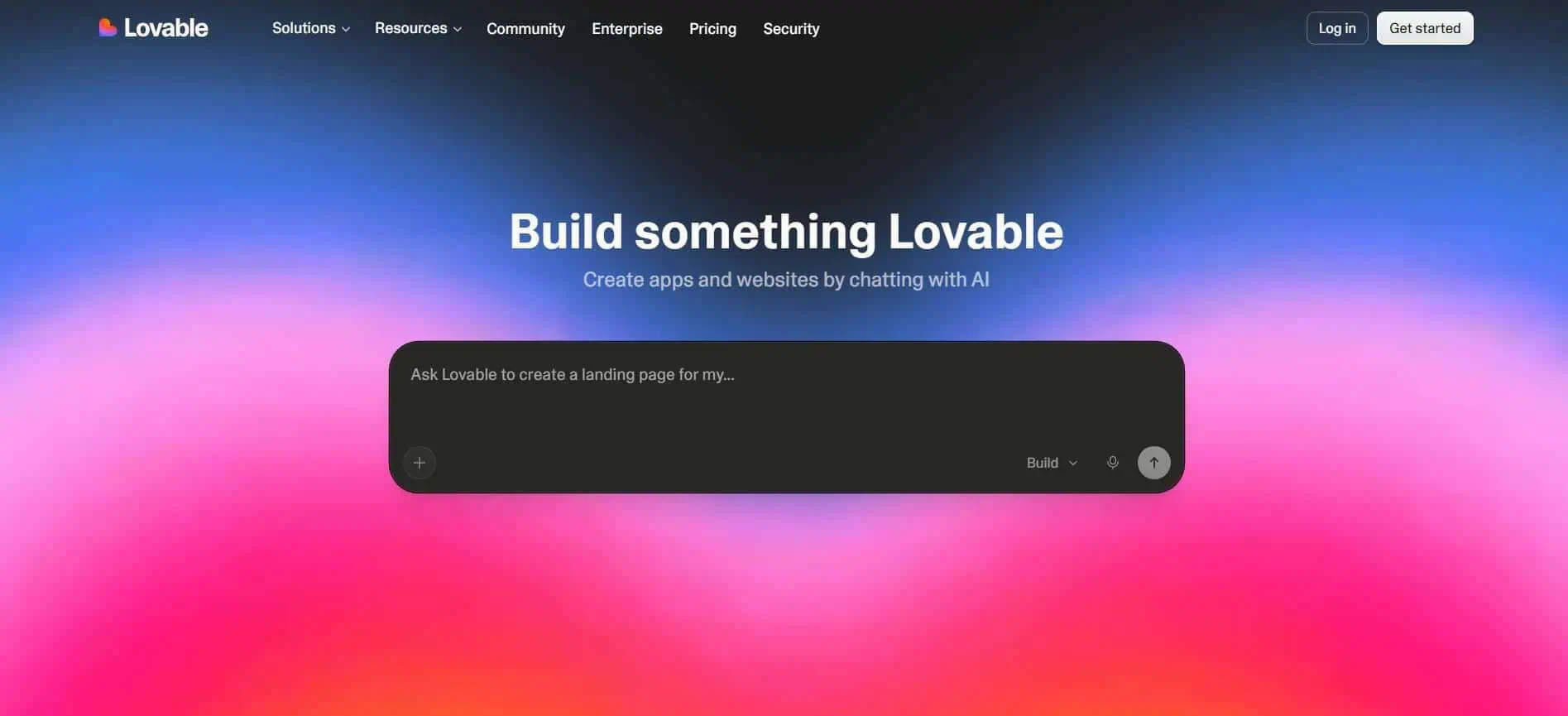
Lovable is best for natural-language web app generation, especially when product, design, and engineering need to validate a workflow quickly. It works well for frontend-heavy apps such as dashboards, admin panels, marketplace flows, SaaS prototypes, and internal tools.
Because Lovable supports collaboration, workspaces, GitHub synchronization, and enterprise controls, teams can continue developing a prototype within the same environment instead of rebuilding the project in a separate engineering workflow.
Strengths:
Limitations:
Claude Code is best for agentic software engineering inside real repositories. It can read a codebase, edit files, run commands, create commits, open pull requests, and connect to external systems through MCP.
That makes it useful for repository-wide changes, planning, and implementation work. It’s also good for repeatable workflows that require structured thinking before code is changed.
Strengths:
Limitations:
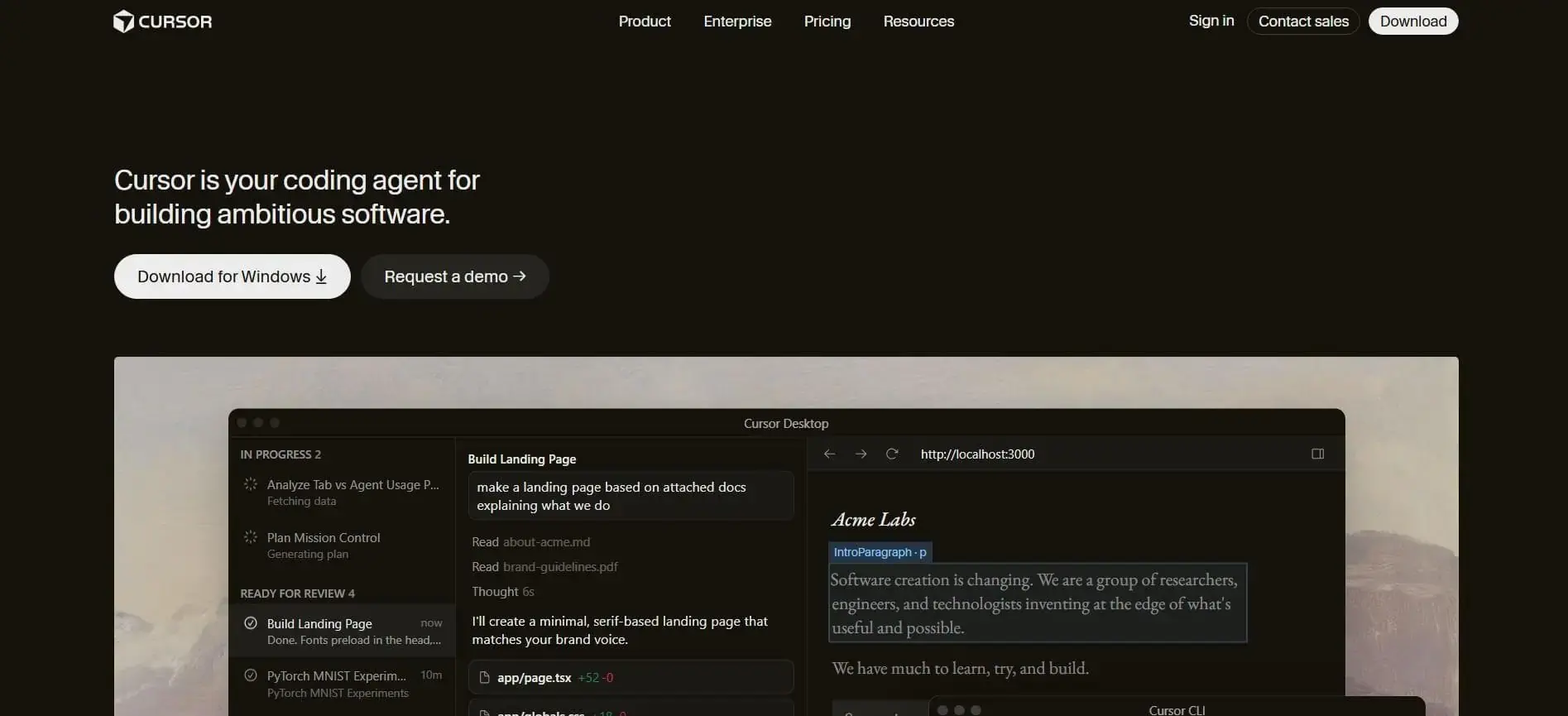
Cursor is an AI-native IDE for teams that want codebase-aware assistance inside the editor. It supports autocomplete, targeted edits, code navigation, and agentic workflows that can plan, build, test, and review work. This makes it popular with startup engineering teams that want faster iteration while working directly in their existing codebase.
Strengths:
Limitations:
GitHub Copilot is the lowest-friction choice when your organization already uses GitHub heavily. It fits into IDEs, GitHub.com, pull requests, the CLI, mobile workflows, and enterprise policy settings. That makes it easier to roll out across larger teams because developers can use it inside tools they already know.
Strengths:
Limitations:
Use vibe-first tools when speed and experimentation matter most, and use engineering-focused tools when maintainability, governance, and long-term ownership matter more.
In practice, many organizations need both. A product manager might use Lovable or Replit to validate an admin workflow before engineering invests sprint capacity. At the same time, a senior engineer might use Claude Code, Cursor, or GitHub Copilot to implement the approved version inside the production repository.
However, knowing each tool’s core purpose protects you from treating every AI-generated output as production-ready code. It also helps you decide where deep engineering expertise is required, which can include architecture, security, data access, release readiness, and final approval.
Vibe coding works better when you create a team workflow with rules, review points, and measurable signals for it.
But why do you need that structure?
Without it:
To avoid that, apply the best practices below before vibe coding becomes part of your AI SDLC.
We recommend starting AI-assisted development in areas where mistakes are easier to detect and cheaper to fix. Examples include internal tools, prototypes, documentation, tests, and small bug fixes. This gives teams an opportunity to learn how AI performs in their environment, what level of review is required, and where AI-generated output tends to miss business or project context.
The type of work matters because not all tasks carry the same level of risk. A 2026 arXiv study of 7,156 AI-agent pull requests found that documentation PRs had an 82.1% acceptance rate, compared with 66.1% for new feature development.
That’s why we suggest postponing AI-assisted work on critical systems, payment flows, authentication logic, data migrations, and customer-facing functionality that depends on deep domain knowledge. Start with lower-risk tasks, then expand usage as your team gains confidence in the review process and delivery outcomes.
Once your team has identified appropriate use cases, the next step is creating a repeatable workflow. A simple starting point is: Explore → Plan → Implement → Verify.
A shared workflow:
When every developer follows a different process, those lessons are much harder to capture and scale across the organization.
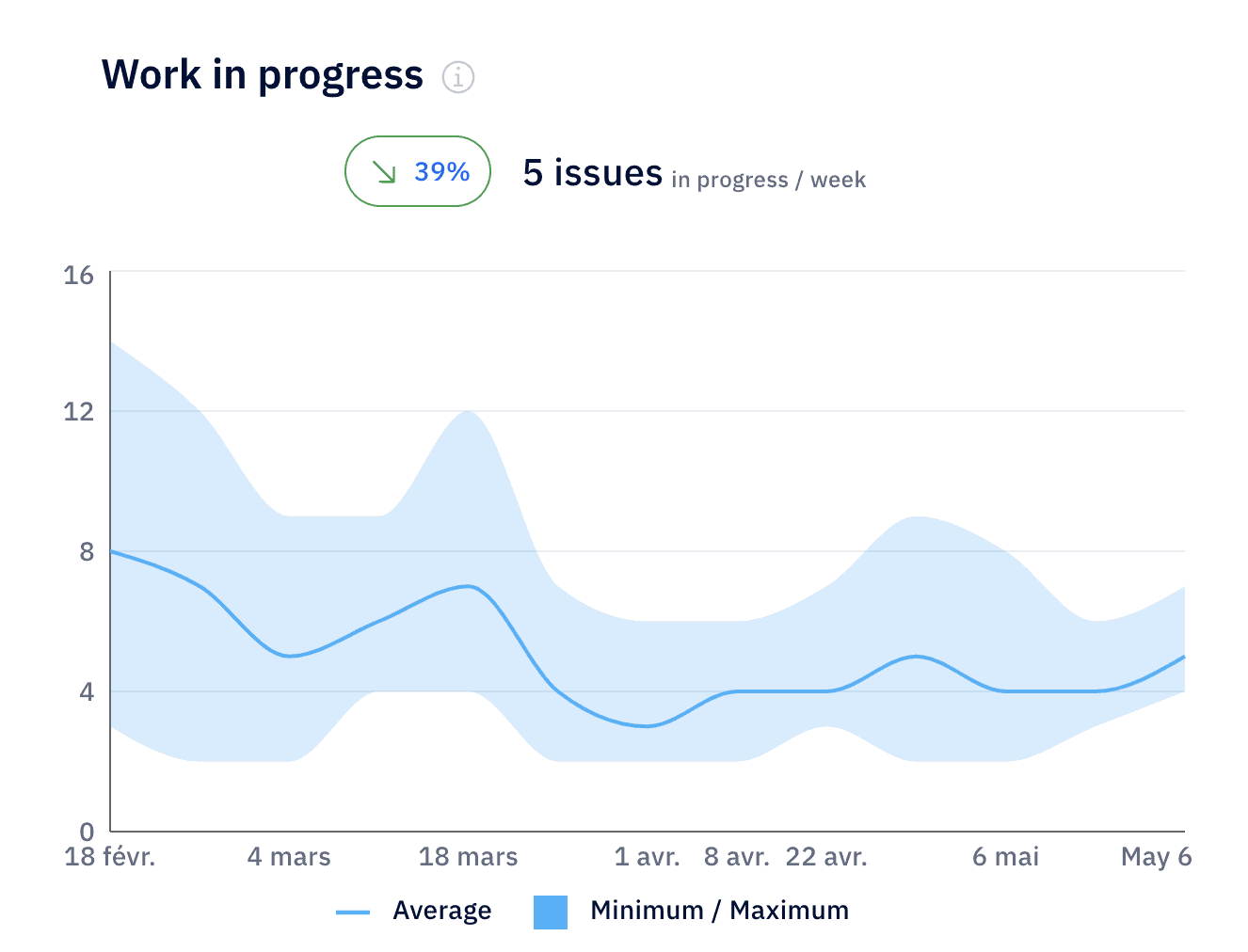
Pro tip: Axify can help you evaluate those workflows by connecting AI adoption data with delivery metrics such as review time, lead time, work in progress, and pull request patterns. That makes it easier to identify whether your new AI-assisted workflow is improving delivery or simply changing where the work happens.
Verification is what separates experimentation from production development. Every AI-assisted change should pass through the same engineering controls as any other change, including tests, code review, CI checks, dependency scanning, and post-release validation where appropriate.
The goal is not simply to catch mistakes. Verification also reveals where AI tools perform well and where they struggle.
Stack Overflow’s 2025 survey highlights why verification remains important. Only 3.1% of respondents reported high trust in AI-generated output, while 46% actively distrusted its accuracy.
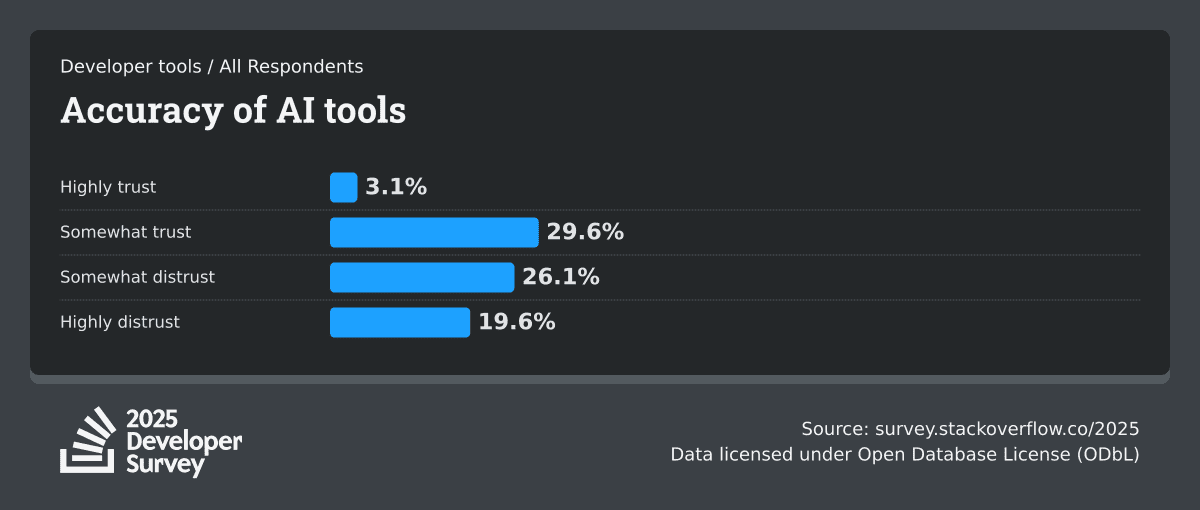
That’s why we always advise our clients to treat AI-generated output as a proposed implementation, not complete work.
A generic code review checklist won't catch what's specific to AI output. When you're reviewing a change that came from a prompt, check for these patterns first:
The quality of AI-generated output also depends on the quality of the context it receives, so that’s your next step.
Shared context can include:
These resources help AI tools understand naming conventions, testing expectations, security requirements, and project-specific constraints.
The biggest benefit is consistency. Two developers working on similar tasks should not receive completely different implementations simply because one remembered to include additional instructions in a prompt.
As your teams adopt AI more broadly, institutional knowledge becomes increasingly important. Shared context helps distribute that knowledge across the team instead of concentrating it in a handful of experienced developers.
Vibe coding changes who performs the implementation work. It does not change who owns the outcome.
Architecture decisions, security reviews, tradeoff analysis, product requirements, and release approvals should remain with people who understand the system and its constraints. AI can suggest options, compare approaches, or accelerate implementation, but it does not carry accountability for the result.
Developer behavior reflects that reality. Stack Overflow’s 2025 survey found that developers still seek human input when they:
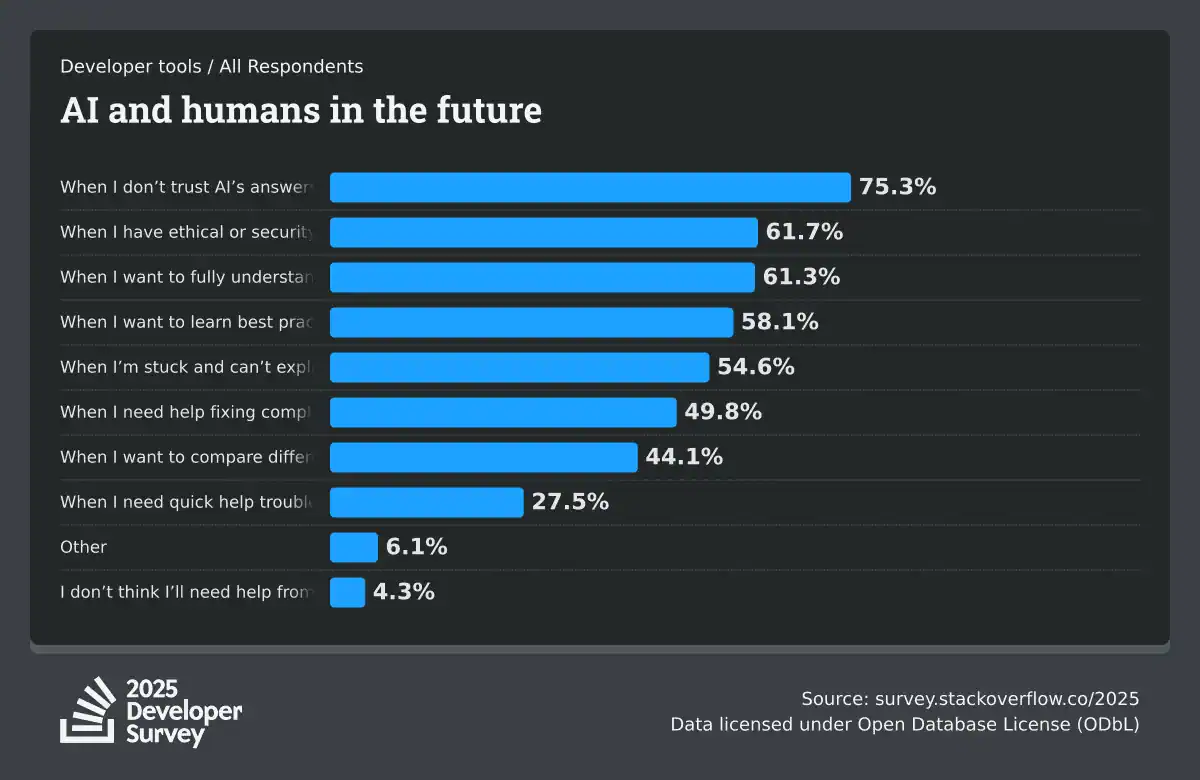
Successful teams treat AI as a contributor to the engineering process. Ownership, judgment, and accountability remain human responsibilities, and that’s when AI coding assistants can genuinely save time.
Different teams use AI in different ways. Some keep developers involved in every step. Others allow AI to plan, implement, review, or even coordinate larger tasks. The right approach depends on the complexity of the work, the maturity of the team, and the level of risk involved.
In the pair programmer pattern, your developer remains in control while the AI provides suggestions, explanations, code snippets, and small edits. This is the easiest way to adopt AI in software development because the developer oversees every suggestion, edits the output, and makes the final changes. It’s also the lowest-risk pattern because the AI output is short, and thus easy to review.
Common use cases include:
It works particularly well when teams are still learning how AI affects engineering metrics like review effort, delivery speed, and code quality.
In the planner-builder pattern:
This pattern is useful when an update affects multiple files, services, or systems. A reporting feature that requires frontend changes, API updates, database queries, and test coverage is a good example. The implementation plan gives the team an opportunity to identify gaps or incorrect assumptions before code is generated.
The main advantage is visibility. Teams can evaluate the proposed approach before they evaluate the code.
In the agentic development pattern, AI takes responsibility for larger portions of the implementation workflow.
This approach can accelerate larger initiatives, but it also increases the consequences of incorrect assumptions about how the system works, including misunderstandings of business logic, data models, dependencies between services, or existing architectural constraints.
That’s why you need stronger controls around permissions, testing, code ownership, deployment access, and review requirements.
Pro tip: Most organizations should reserve this pattern for teams that already have mature engineering practices and reliable delivery controls.
In the AI review pattern:
This can help surface missing tests, inconsistent naming, dependency concerns, or implementation patterns that deserve a closer look. In our experience, it’s particularly useful when review volume increases faster than reviewer capacity.
Of course, you won’t be replacing human review. The goal is to help reviewers focus their attention on the changes that deserve the closest inspection.
Vibe coding tends to deliver the strongest results when speed, experimentation, and iteration matter more than deep system knowledge or operational risk.
Common use cases include:
Industry adoption data points to the same pattern. Sonar’s 2026 State of Code Developer Survey (cited above) found that developers use AI most frequently for:
The same survey found that developers rated AI most effective for:
In other words, AI performs best when the goal is accelerating exploration, understanding, and iteration, though limited when making high-risk engineering decisions.
Vibe coding makes code generation very easy. To paraphrase a well-known idiom, every silver lining has a cloud. So, the challenge stemming from that advantage is maintaining the same level of engineering discipline as the amount of AI-generated output increases.
Common limitations include:
Remember: The teams that benefit most from vibe coding usually treat it as an acceleration layer on top of existing engineering practices. AI-assisted code, even good one, is never a replacement for planning, architecture, testing, or review.
Vibe coding creates pressure to move quickly, which makes it easy for teams to adopt AI-assisted code that looks reasonable but doesn’t hold up in practice.
AI can generate code, but software development involves far more than that. Teams still need people to define requirements, evaluate tradeoffs, review architecture, manage risk, and make decisions about long-term maintainability.
The labor market reflects that reality. The U.S. Bureau of Labor Statistics projects software developer, QA analyst, and tester employment to grow 15% between 2024 and 2034, adding roughly 287,900 jobs.
Most likely, therefore, our AI-imbued future doesn’t mean we’ll have fewer engineers. However, those engineers will be spending less time on routine implementation and more on planning, review, system design, and decision-making.
Usage measures activity, not outcomes.
One study of 16 experienced open-source developers completing 246 tasks in mature repositories found that participants expected AI to make them 24% faster and later believed they were, indeed, approximately 20% faster. However, actual completion time was 19% slower when AI tools were available.
This gap between perceived and measured productivity is why engineering leaders should evaluate delivery outcomes like lead time, review time, rework, and escaped defects before calling adoption a win.
Standardizing on a single platform may simplify procurement and governance, but it doesn’t guarantee better results. Recent data supports this.
A 2026 arXiv study comparing OpenAI Codex, GitHub Copilot, Devin, Cursor, and Claude Code across 7,156 AI-agent pull requests found that no single agent performed best across all task types*.
Besides, if you standardize on one platform, you risk building processes (workflows, prompts, project instructions, and integrations) around only one tool. If a better option shows up for a given task later, or your needs change, switching means unwinding all of that. That's what “vendor lock-in” means: not that you're contractually stuck, but that your own processes have grown dependent on one tool's features, making a change slower and more expensive than it should be.
That’s why we recommend matching tools to work type, repo access, governance needs, and reviewer capacity.
*Important note: Even so, the same paper found OpenAI Codex consistently high across all nine task categories (59.6–88.6%), so “no single agent performed best” shouldn’t read as “all agents are equivalent.”
Faster code generation can move the bottleneck into review, testing, or debugging. The Stack Overflow 2025 survey that we cited above found that:
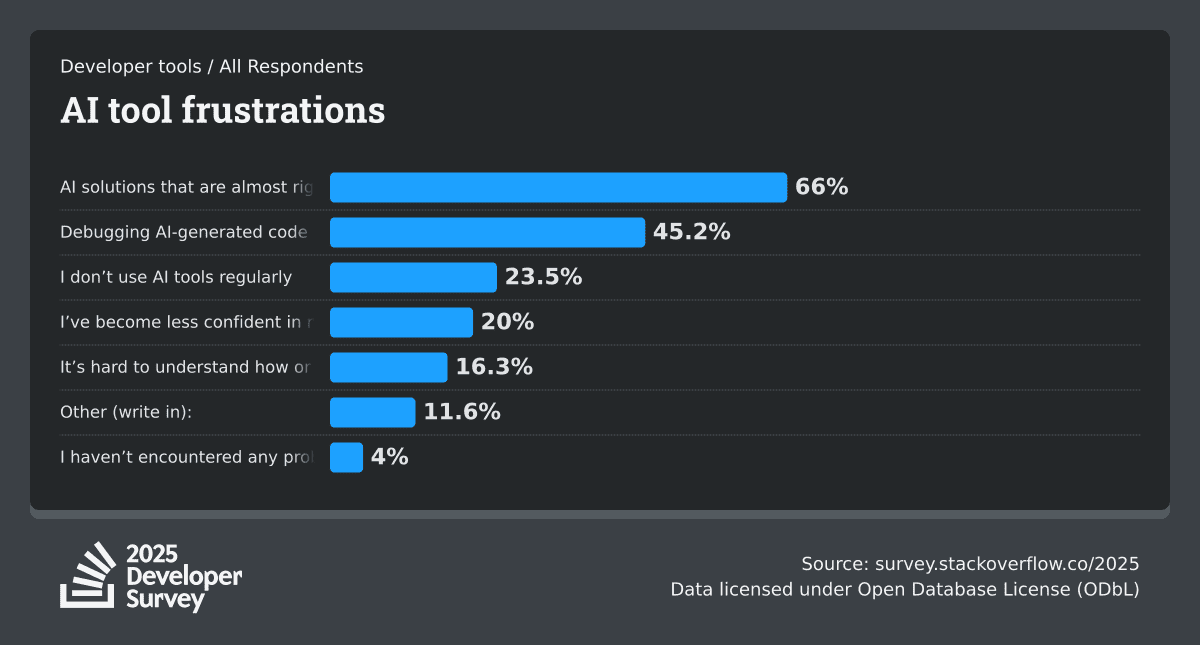
Remember: Delivery speed improves only when the entire workflow improves, not just the coding portion of it. That’s why we advise you to measure the full path from prompt to production before expanding vibe coding.
Vibe coding only matters if it improves your workflow. But how do you know whether your workflow improved or not? The answer is tracking adoption levels, delivery speed and quality, tool performance, and cost.
We’ll discuss all these items below.
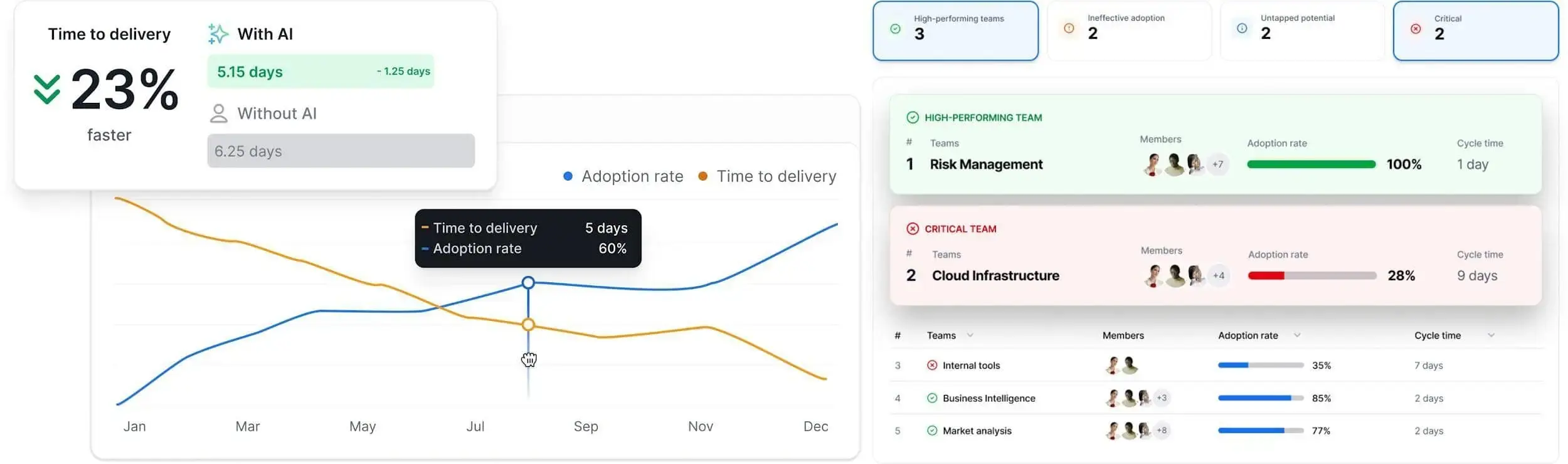
We advise you to start with adoption because you cannot measure the impact of AI until you know who is actually using those AI tools, how often, and which tools are preferred. Axify’s AI Adoption and Impact feature shows adoption rate, active users, users with licenses, acceptance rate, and usage by team or project.
This helps you distinguish paid access from real use. For example, if one team has many licenses but low active usage, your next decision could be training, workflow support, or license cleanup.
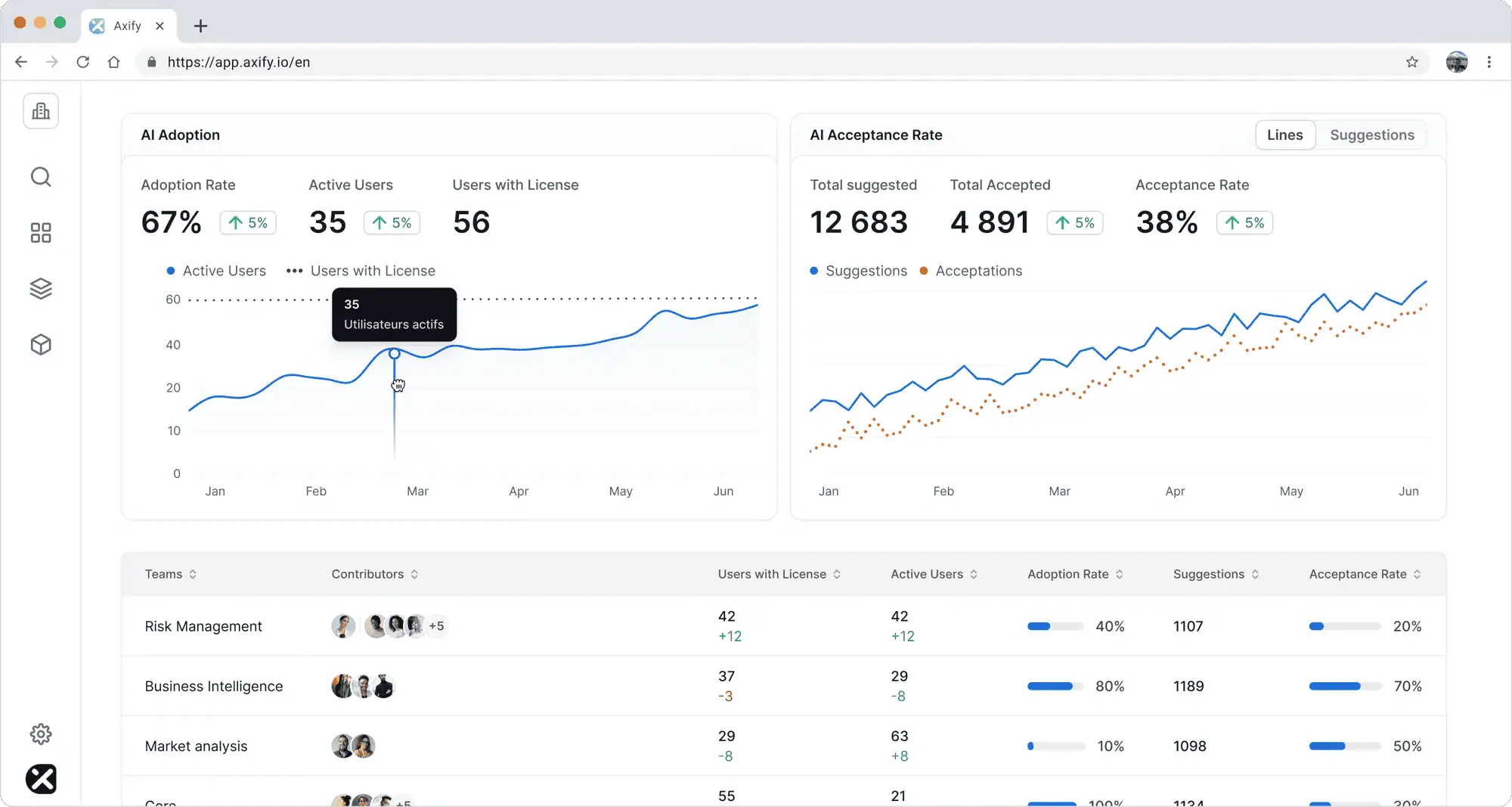
After adoption is visible, see how AI usage influences your delivery performance. Axify measures AI’s effect across the development cycle by comparing work with and without AI support, then showing changes in delivery time, cycle time, throughput, and bottlenecks.
This matters because faster prompting and easier code generation are only useful when approved code reaches production faster. The practical question is simple: Did AI reduce review wait time, shorten cycle time, or help the team finish more valuable work in the same period?
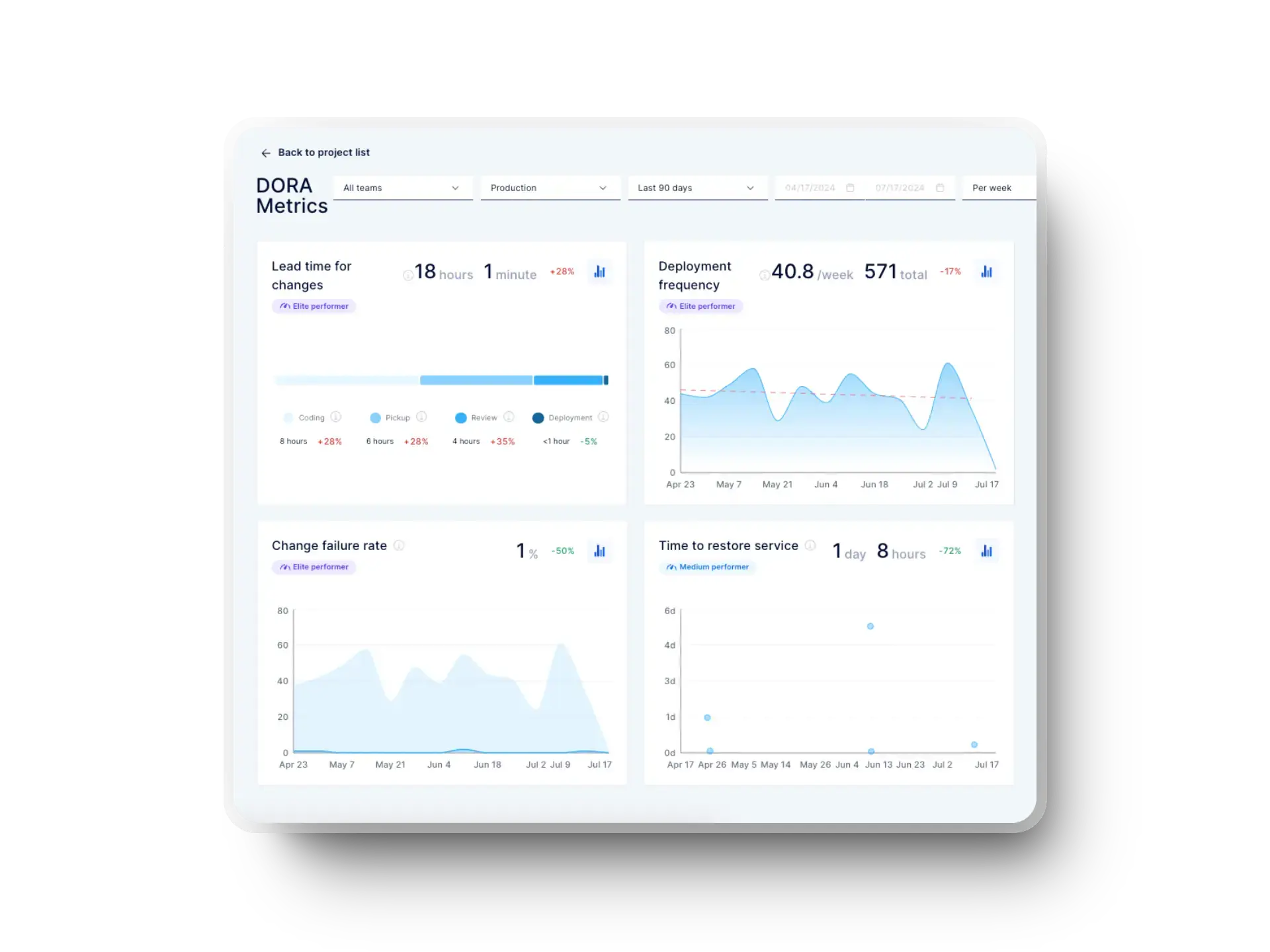
Delivery speed can improve while quality declines. Track rework, defects, rollbacks, review findings, and stability metrics alongside delivery speed. If AI-assisted work increases pull request volume while defects or failed deployments rise, your team may be shifting effort from implementation to debugging and remediation.
Axify helps you see that pattern by connecting AI usage with process, pull request, and DORA-style delivery signals.
It’s no secret that different tools fit different tasks, so you should compare them by their workflow performance instead of picking one winner for every team.
Axify helps you compare AI coding assistants and agents by team, project, and delivery result. That comparison helps you see which tools are actually improving delivery for which teams, instead of relying on preference or vendor claims.
Task-level and model-level comparison, seeing which model handles which kind of work most efficiently, is the next layer of visibility engineering leaders are asking for, and it's an area Axify is actively building toward.
Finally, measure cost against the delivery value you get back. The DORA 2026 ROI framework recommends looking beyond license price and accounting for training, infrastructure, workflow friction, verification effort, delivery throughput, instability, and payback period.
Axify supports that approach by tracking AI tool cost and ROI, too.
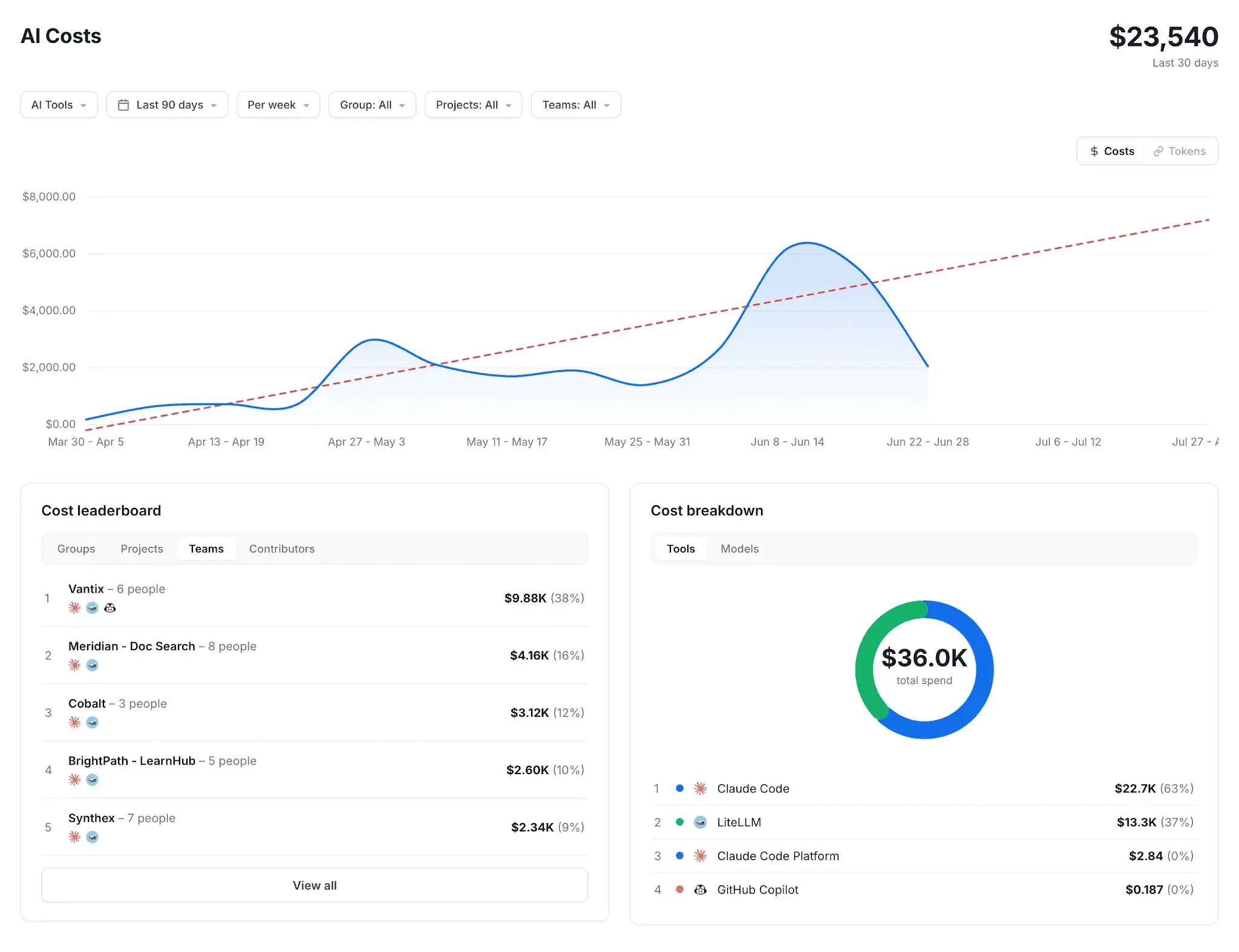
That helps you determine if you need to expand, coach, consolidate, or stop paying for tools that don’t improve your delivery performance.
If this article convinced you to try vibe coding, follow this rule from day one: no AI-generated work enters your roadmap without a named owner.
So, before AI-generated code becomes part of a production system, someone should be accountable for reviewing it, validating it, and deciding whether it meets the team's standards. That decision matters even more as AI-generated output becomes larger and more autonomous.
This is also why measurement matters. Engineering leaders need visibility into where AI improves delivery, where it increases review effort, and where additional controls may be required.
Axify helps connect AI adoption, delivery performance, quality signals, and cost so teams can make those decisions using real engineering data
To see if and how AI-assisted work is really helping your teams, book a demo with Axify today.
